Meet Flubber 🟢

A pixel-art AI slime desktop pet for macOS & Windows. A real-time Tamagotchi and an AI agent that sees your screen, controls your browser and chats with you.

macOS 12+ · Windows 10/11 · free & open source
🕵️
Flubber is invisible in screenshots, screen recordings and screen shares (Google Meet, Zoom, QuickTime…). Only you see it on your own display — handy when you need to quietly use an AI during a call.
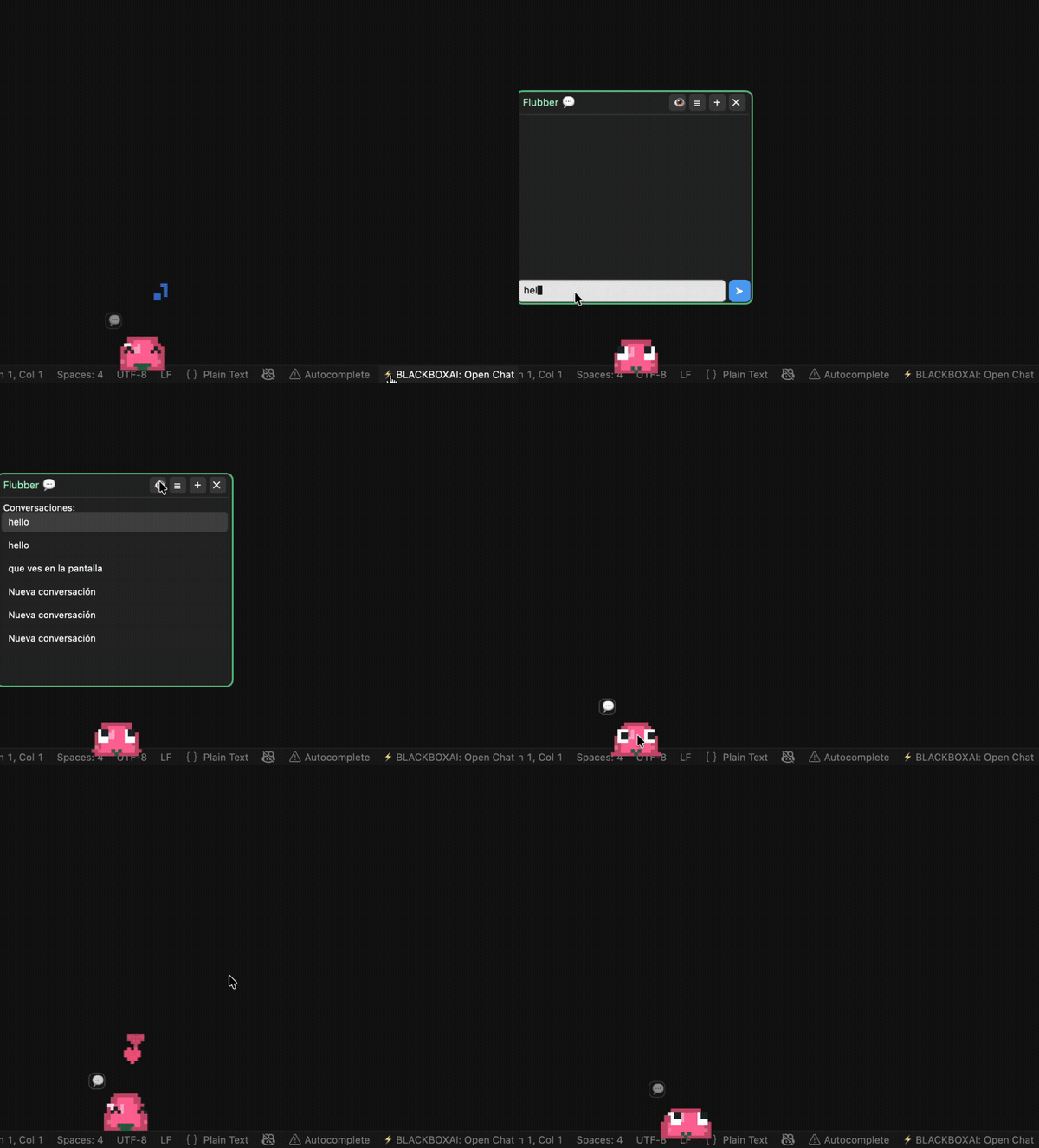
Flubber demo

Not just a pet

Everything is drawn in code (no image files) — and it actually does things.

🐹

Real Tamagotchi

Hunger, energy, happiness, cleanliness and health decay in real time — even when closed. It grows from egg to adult, can get sick, and needs care.

🧠

AI agent

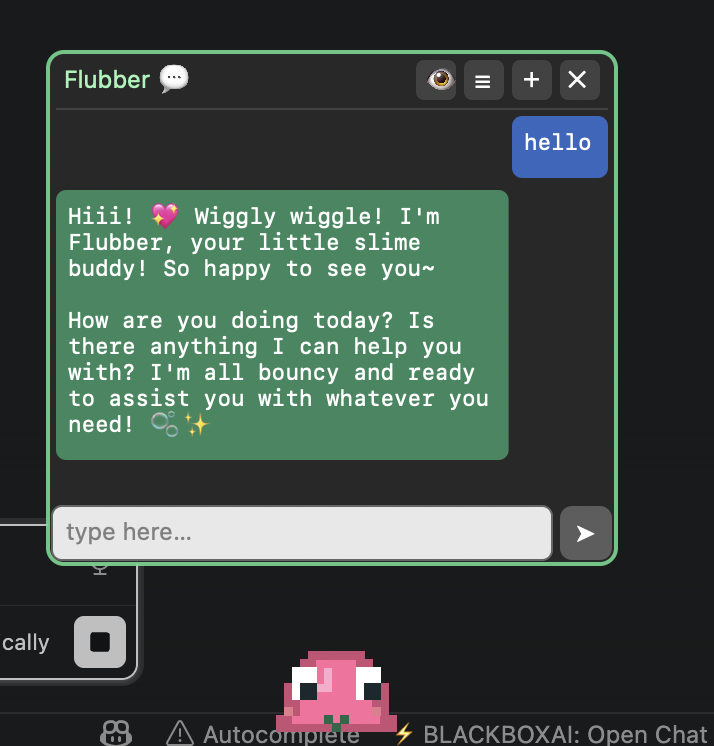
Chat with it in a built-in panel with real token-by-token streaming. It uses tools: web search, read pages, weather, reminders and more.

👁️

Sees your screen

Ask “what's on my screen?” and it captures and analyzes it — the whole desktop or just one app.

🎧

Listens to meetings

Press the ear and it transcribes your call on-device, writes rolling summaries, and on stop gives you a recap with key points and action items — plus the full transcript.

🌐

Controls your browser

Reads the active tab and runs JavaScript to extract text, click, fill forms or navigate (Chrome / Edge / Brave / Safari).

🕵️

Invisible on capture

Excluded from screenshots and screen sharing by default, with a one-click toggle. Your recordings stay clean.

🎨

Pixel-art & skins

Walks, blinks, dances, follows your cursor. Change its color or ask the AI to design a skin by theme (“lava”, “galaxy”).

Works with four AI providers — designed primarily for MiniMax:

MiniMax · recommended Claude ChatGPT DeepSeek

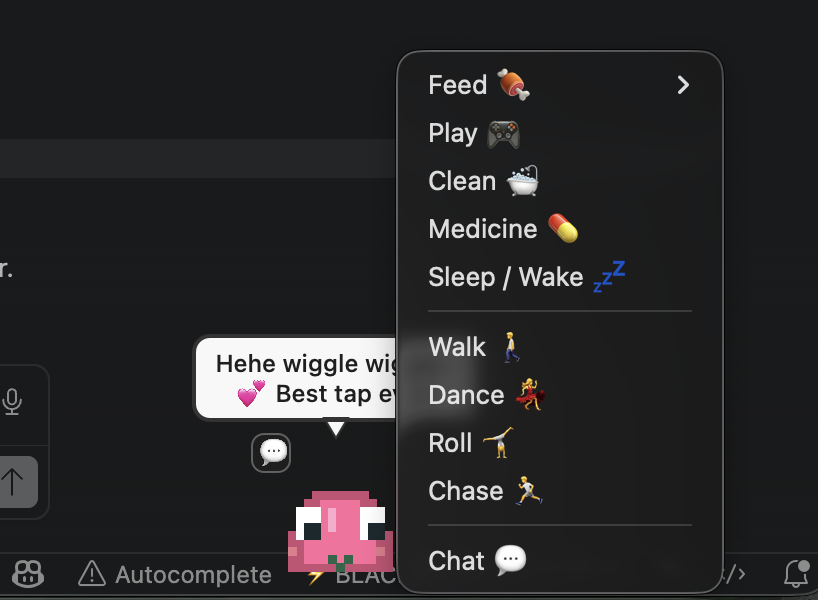
Flubber right-click menu and speech bubble Flubber built-in chat panel

FAQ

Quick answers about Flubber, the AI desktop pet.

What is Flubber?

Flubber is a free, open-source pixel-art desktop pet for macOS and Windows. It's a real-time Tamagotchi and an AI agent that can search the web, see your screen, control your browser and chat with you.

Is Flubber really invisible during screen sharing?

Yes. Flubber's window is excluded from screenshots, screen recordings and screen sharing (Google Meet, Zoom, QuickTime) by default — using WDA_EXCLUDEFROMCAPTURE on Windows and window sharingType on macOS. There's a one-click toggle to turn it off.

Which platforms does Flubber support?

macOS 12+ and Windows 10/11. The macOS app is built in Swift/AppKit; the Windows app is a C#/.NET (WPF) port with functional parity.

Which AI providers does it work with?

Designed primarily for MiniMax, and also compatible with Claude (Anthropic), ChatGPT (OpenAI) and DeepSeek. Without an API key it still runs with canned phrases.

Can Flubber transcribe and summarize meetings?

Yes. Press the 👂 ear and Flubber transcribes the call on-device (Speech.framework on macOS, System.Speech on Windows), writes rolling summaries during the meeting, and on stop gives you a recap with key points and action items — plus the full transcript saved to a file. Without an AI key it still shows the raw transcript.

Is Flubber free?

Yes — completely free and open source on GitHub.

Bring Flubber home 💚

Free, open source, and built 100% in native code — Swift/AppKit on macOS, C#/.NET (WPF) on Windows.

First launch is unsigned — macOS: right-click → Open · Windows: SmartScreen → More info → Run anyway.